Character controls
3rd Person perspective
Keyboard/Mouse and Joystick
NavMesh
Character Controls and Pathfinding Navigation
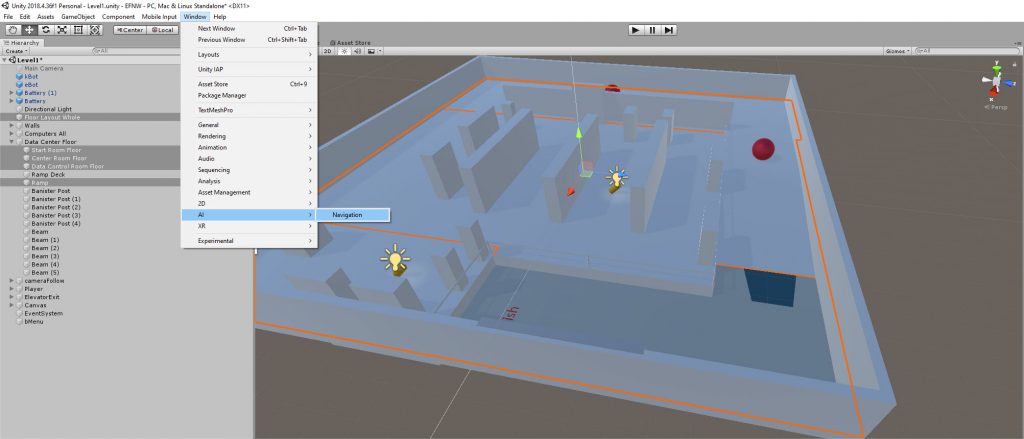
Unity3D provides a walkable surface to distinguish between other obstacles and provide additional options. By adding an “Agent” the character and AI (Non-Player Characters) are associated with the NavMesh and the walkable surfaces.
Windows -> AI -> Navigation and select areas you want to define walkable areas for your character by selecting all of the associated surfaces -> make Static Navigation -> Walkable Make all walls Static make Not Walkable. Do the same thing with all other objects accordingly.
Create character GameObject -> name it mPlayer -> Cube (temporarily) -> place at start area -> add NavMesh Agent component.
Navigation -> Bake Tab -> Bake button