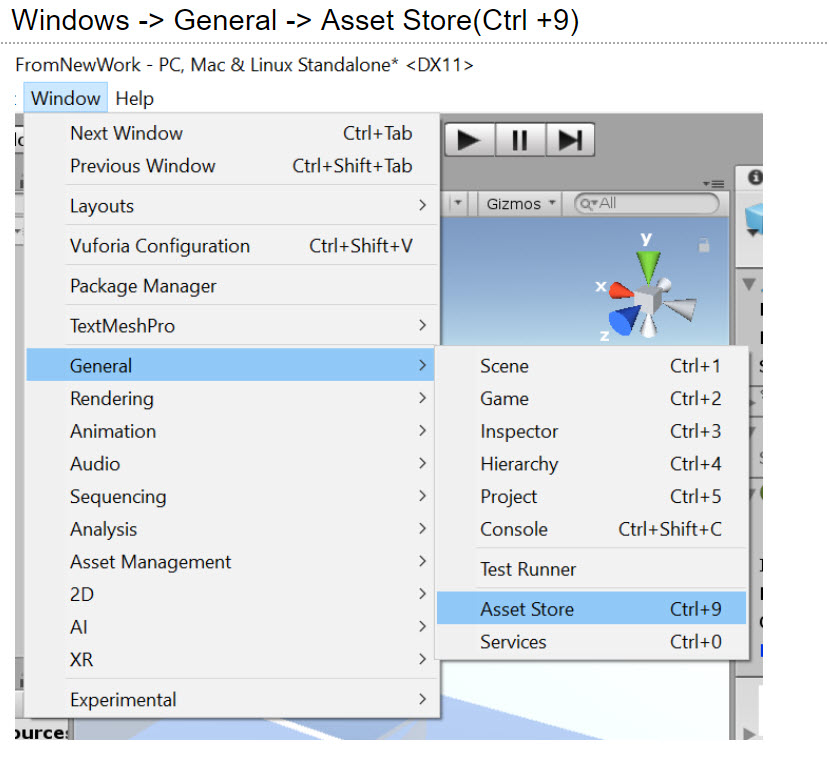
Windows -> General -> Asset Store(Ctrl +9)
Functionality (Character controller)
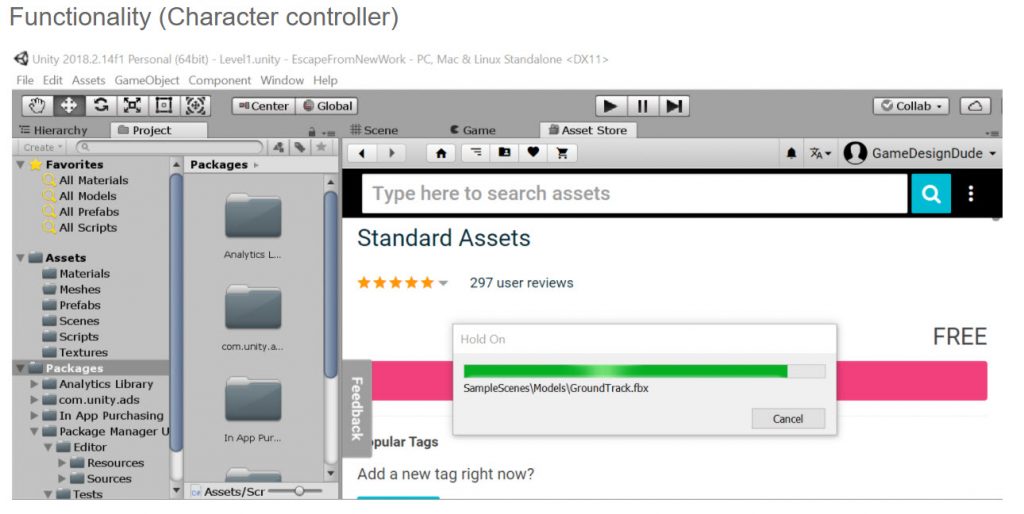
User input:
Directional (analog stick, keyboard) – Mouse-Look / Analog-Look – Controller / keyboard Input
Create -> C# Script
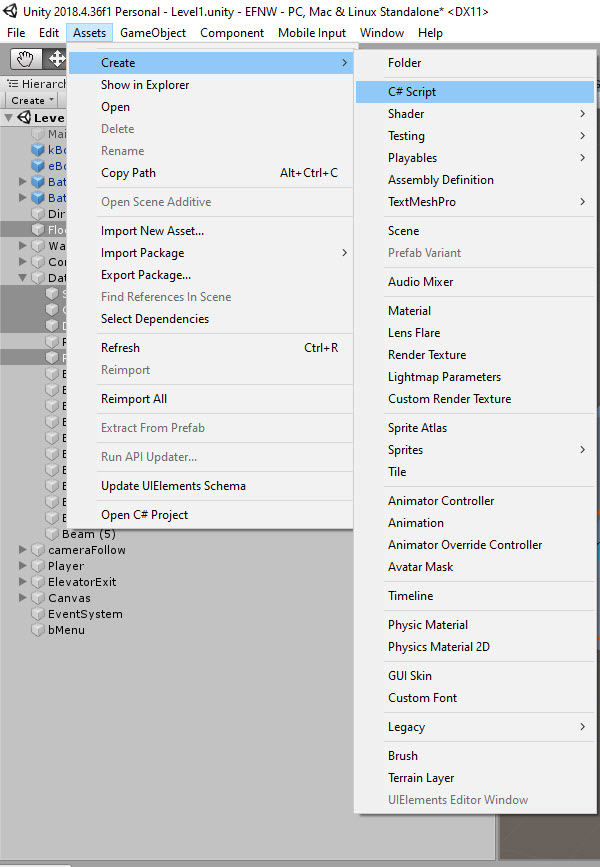
Name the file mPlayer; the class will take the name of the file
Move Player Script
using System.Collections;
using UnityEngine;
using UnityEngine.AI;
public class mPlayer : MonoBehaviour
{
//Two(2) private variables
private Vector3 dest; //3 axis movement toward the final destination
private NavMeshAgent agent; //NavMeshAgent component attach to our mPlayer
void Start()
{
//hide cursor
Cursor.visible = false;
//set so player is in its current position without moving
dest = transform.position;
agent = GetComponent<NavMeshAgent>();
}
void Update() {
//update value of by retrieving current position which is the
//right and forward movement
//If right movement is negative mPlayer will move the left
//If forward movement is negative mPlayer will move backwards
dest = transform.position + Vector3.right * Input.GetAxis(“Horizontal”) +
Vector3.forward* Input.GetAxis(“Vertical”);
//getaxis horizontal wasd <-> left/right – getaxis vertical | up/down and left joystick
agent.destination = dest;
}
}
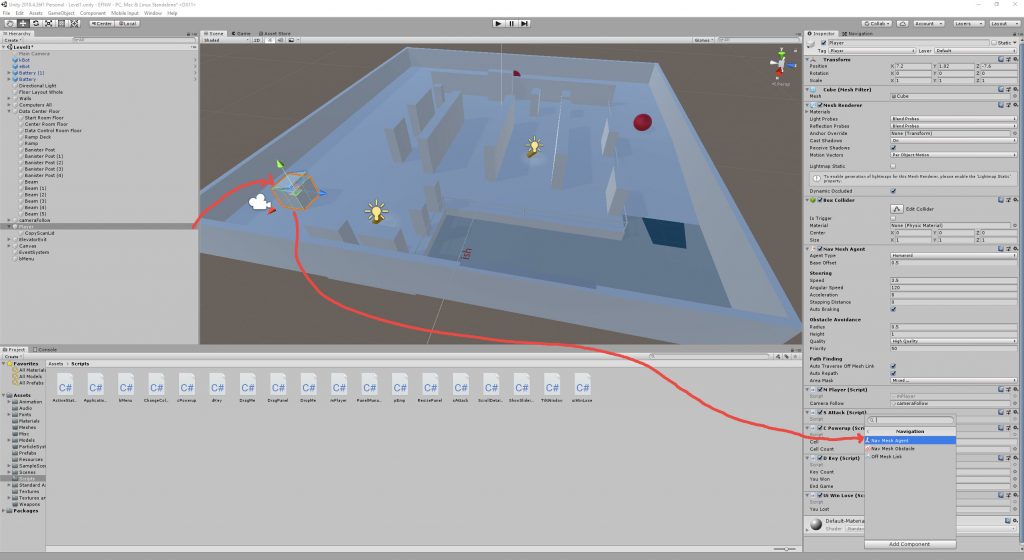
Add MPlayer script to NavMeshAgent