Add a camera to the scene -> point it in the direction of the object you are attaching it to, in this case, the cube
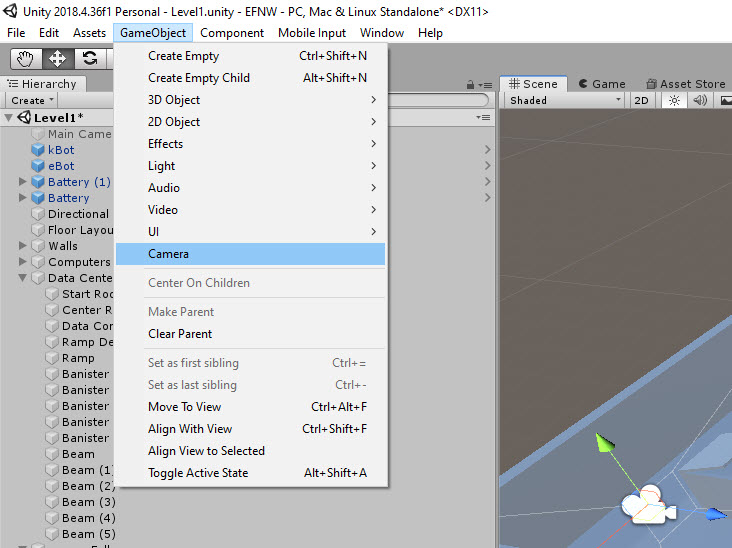
-> Select the Camera:
Add Component -> Smooth Follow
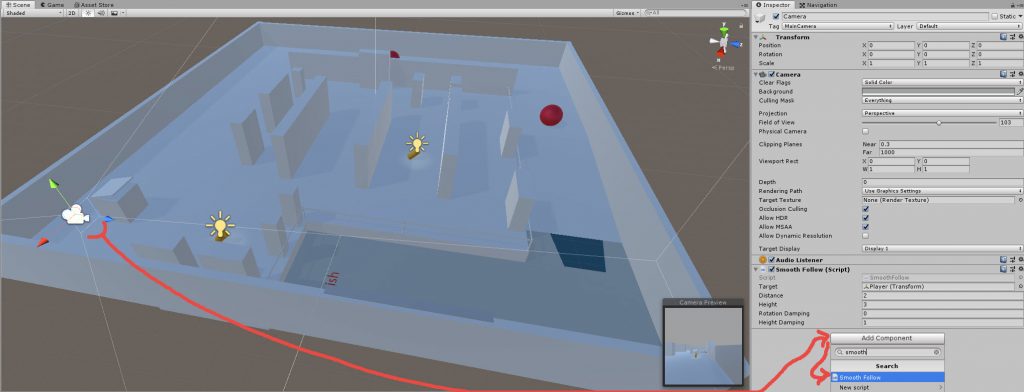
Camera ->
Target -> add Player from hierarchy
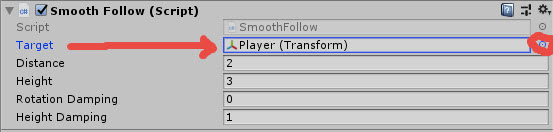
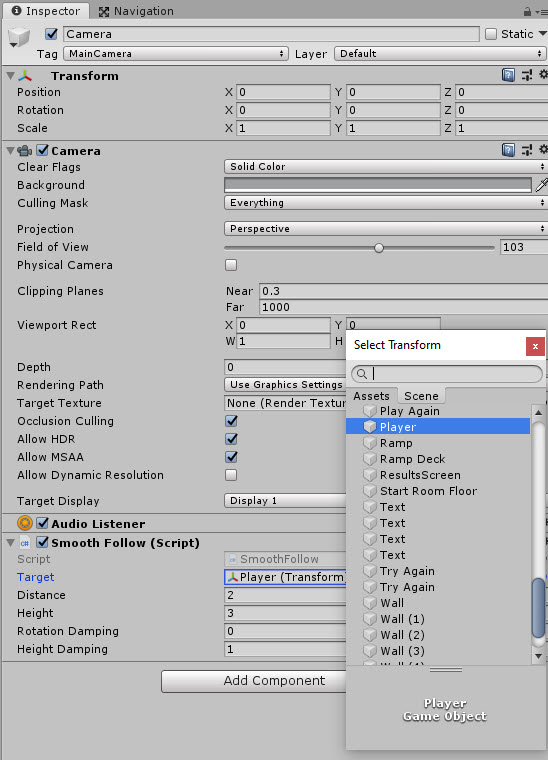
Adjust settings
Height Damping = 1
Hierarchy: Camera -> GameObject -> Empty Child -> remove from Camera ->
Name it “cameraFollow” -> Make Camera a child of cameraFollow
Under cameraFollow Add Component -> Simple Mouse Rotator (Standard Unity Asset Script)
X = 0 no need for x rotation
Y = 1200 free movement around Y-Axis
Height = 9 or as needed
Rotation = 0,0,0
Set forward with camera:
Forward is current “world” forward and not through the camera
Add a public variable of type GameObject for cameraFollow
Replace Vector3.right which is a world coordinate and add cameraFollow.transform.right
Replace Vector3.forward and add cameraFollow.transform.forward
Attach cameraFollow to Character controller mPlayer (Script) “Drag from Hierarchy to mPlayer”
Camera Parent = cameraFollow
Update mouselook:
Edit -> Project Settings -> Input
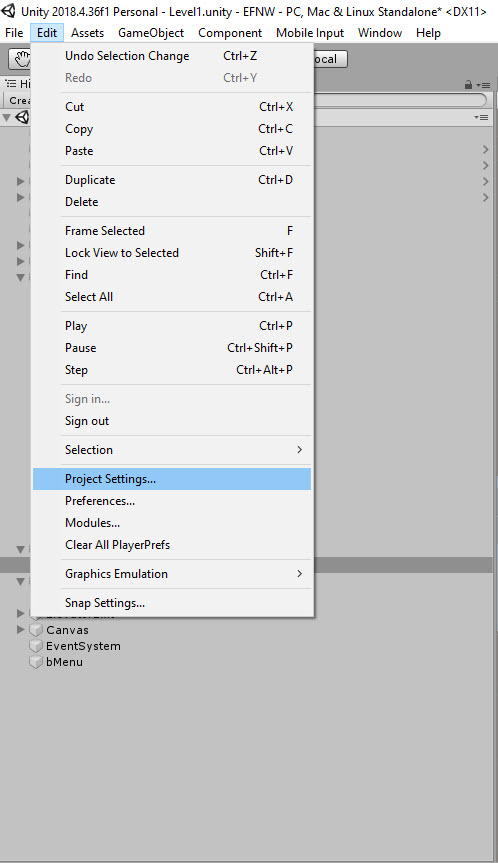
Expand Axis -> duplicate Horizontal and Vertical for the Right Analog Joystick
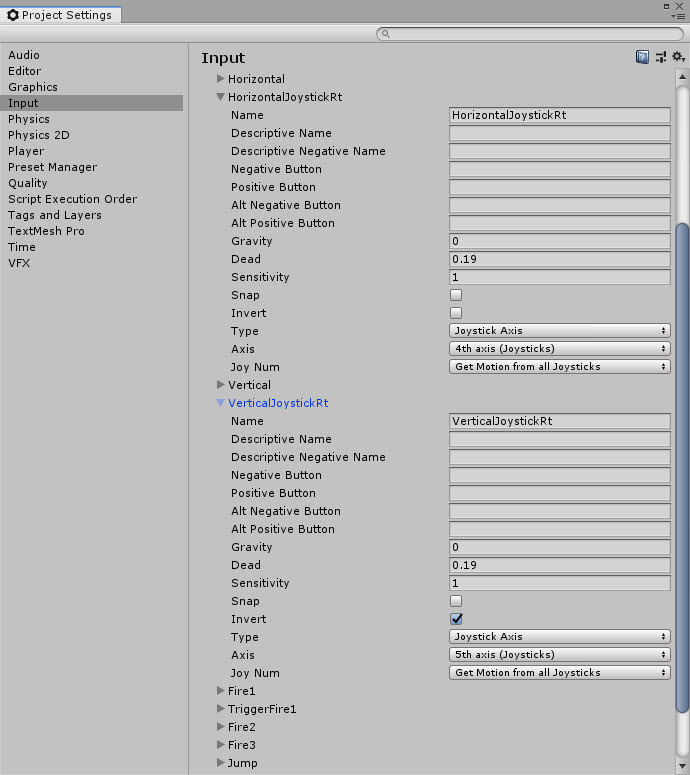
Based on most games controls schemes, the left joystick controls movement and the right controls look
Duplicate the second Horizontal and Vertical respectively, rename and change the axis to the following:
HorizontalJoystickRt
4th Axis(Joysticks) = Xbox
VerticalJoystickRt
5th Axis(Joysticks) = Xbox
Open SimpleMouseRotator Script -> (Line 48) Adjust
inputH = CrossPlatformInputManager.GetAxis(“Mouse X”) + Input.GetAxis(“HorizontalJoystickRt”) * 05.f;
//* 0.5f dampens the movement due to sensitivity
//the horizontal values swap based on the use of the mouse or the right joystick of the controller